


How to Choose the Right AC Axial Cooling Fan for Industrial Control Cabinets
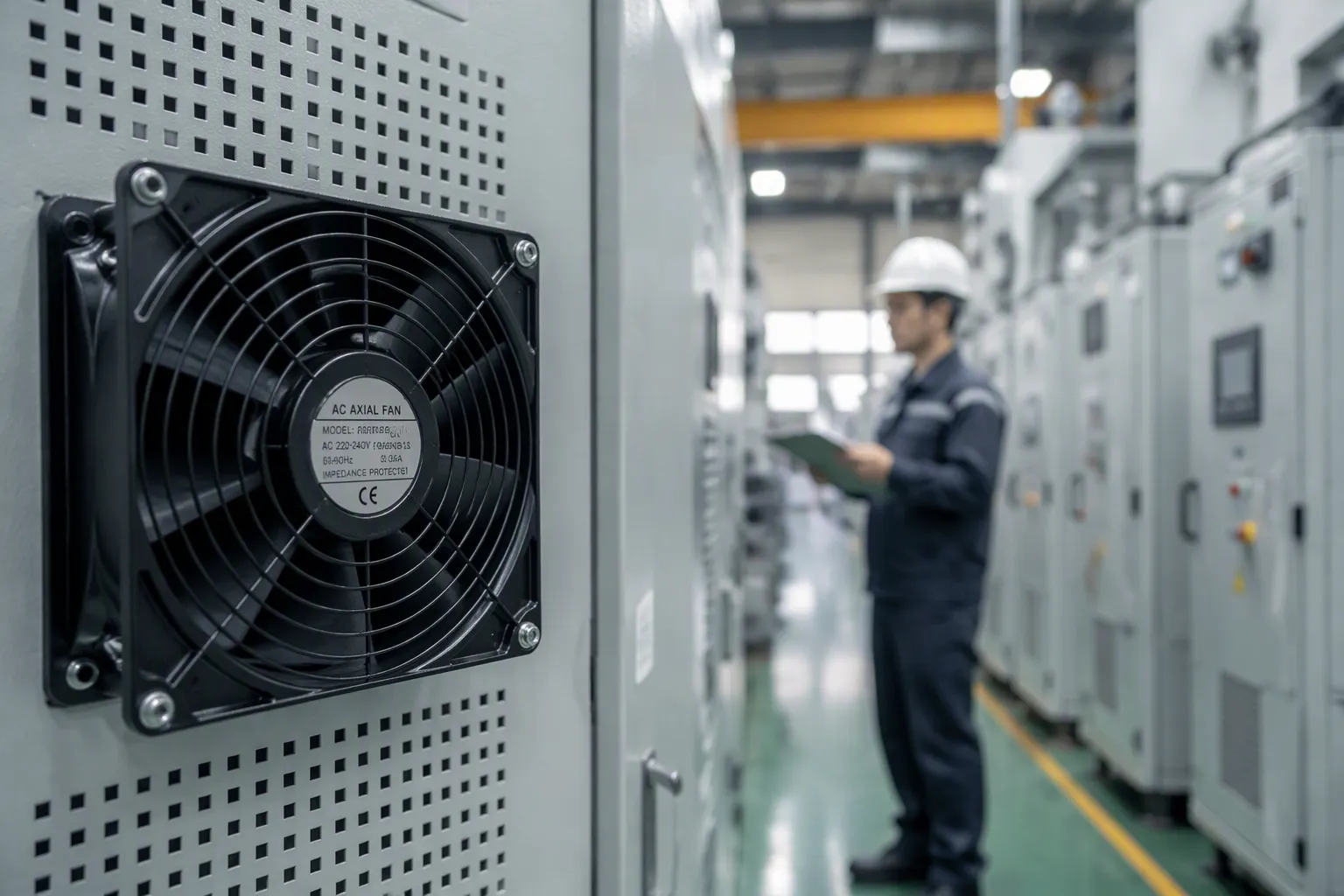
Seven criteria decide the right fan for an industrial control cabinet: heat load, required airflow, static pressure, fan type and frame size, motor type, environmental rating, and redundancy. Skip any one of them, and trapped heat builds around drives and power supplies. Components trip, age faster, and fail early in cabinets that run around the clock.
You can avoid that outcome with a repeatable method. This guide walks you through each criterion in order, then applies the math to a realistic panel so you can size an AC Axial Cooling Fan for your own enclosure with confidence.
Key Takeaways
Figure out the heat load and the airflow you need with the CFM formula so the fan does not overheat.
Check the static pressure on the fan curve, since free-air CFM does not show real cabinet conditions.
Choose a fan type, frame size, and motor that fit your cabinet space and power supply.
Pick the right environmental rating to protect against dust, moisture, and corrosion.
Plan for backup fans on important panels so operations keep running if a fan fails.
Why Fan Selection Matters
The Cost of Getting It Wrong
A fan that is too small or not matched well lets heat stay trapped inside the cabinet. Wires, relays, and circuit boards get too hot. Hot spots form where airflow is blocked, and these spots cause hardware to slow down, crash, or break for good. You will notice the signs before you find the cause: sudden shutdowns, random errors, and machines that slow down or stop completely.
The damage gets worse over time. Too much heat lowers how well parts work, speeds up aging, and raises failure rates across the whole system. Repairs take more time and money. Parts can melt or burn out, and important data may be lost. The fan itself often fails early too, because it runs outside the conditions it was made for. In a cabinet that runs all the time, a sizing mistake made at the drawing stage becomes a repair problem for years.
What "Right" Actually Means
A well-chosen fan keeps the cabinet temperature steady at the real heat load, not a guessed one. You figure out that load from electrical losses, equipment datasheets, and testing, then add a reasonable design margin without making it too big. Airflow and static pressure must be checked together. The CFM delivered at the expected system pressure matters much more than the free-air rating on the catalog page.
The right fan also fits the space and the environment. Frame size and thickness must clear mounting holes, connectors, and cable routing in a tight cabinet. The voltage and current rating must match your power setup. The temperature range and protection rating must handle dust, moisture, and vibration. Finally, service life should match continuous duty, so the fan outlasts the parts it protects instead of becoming the weakest link.
Calculate Heat Load and Required Airflow
Reading Component Datasheets
Start with the parts that make heat, not with the fan. Open each datasheet and find the power loss figure, not the rated output. Drives, PLCs, power supplies, and transformers all list efficiency or dissipation, and that lost power becomes heat inside your enclosure.
Typical values give you a sanity check while you read:
VFDs dissipate roughly 3–5% of rated power, so a 20 HP (15 kW) drive at full load produces about 450–750 W of waste heat.
PLC and I/O modules typically draw 5–15 W each, and a fully loaded rack with 16 I/O modules, a processor, and communications can reach 100–200 W.
Power supplies run at 85–95% efficiency, so a 500 W supply wastes roughly 25–75 W as heat.
A large motor contactor coil can consume 10–15 W continuously while energized.
Add every item, then add a margin for drives that run at partial load and for summer ambient peaks. In a narrow cabinet, heat concentrates near the drive and the power supply, so note where each source sits. That layout detail matters later when you place the fan.
The CFM Formula with a Worked Example
Use the standard airflow relation: Q = 3.16 × P / ΔT. Here Q is the required airflow in CFM, P is the total heat load in watts, and ΔT is the allowable temperature rise above ambient in °C. The constant assumes typical air properties and suits industrial panel estimates.
Try a realistic integrator panel. A 15 kW drive contributes 600 W, a 500 W power supply adds 50 W, and a loaded PLC rack adds 150 W. The total is 800 W. You allow a 10°C rise above a 40°C room, so the cabinet air stays near 50°C. The math gives Q = 3.16 × 800 / 10, or about 253 CFM. In metric terms, m³/h = 800 × 3.0 / 10, or 240 m³/h.
Check velocity before you shop. Air speed through the fan opening should stay at or below 10 m/s. A small frame pushed to high CFM creates noise, turbulence, and recirculation in tight spaces. If your number demands more speed than that, move up a frame size instead.
Match Static Pressure and Fan Curves
Why Free-Air CFM Is Not Enough
Catalog airflow numbers come from a free-air test. That test measures the fan with nothing in front of it and almost no static pressure. Your cabinet is not a free-air test. Guards, filters, louvers, and internal blockage all add resistance. That resistance changes what the fan really puts out.
A common shortcut multiplies the calculated CFM by a safety factor of 1.25–1.5. This shortcut fails because fluid resistance does not work like a simple multiplier. Dense filter media rated IP54 or IP55 creates a lot of static pressure. If that pressure goes past the motor's limit, the fan stalls and delivered airflow drops sharply. The table below shows how big the gap can get.
Parameter | Free-Air Expectation | Installed Reality |
|---|---|---|
Fan setup | 2 x 250 mm axial fans | Same fan hardware |
Published airflow | 1700 m3/h | Not sustained in system |
Resistance sources | Not included in free-air value | Dense guard + panel filter + louver + internal blockage |
Approximate resistance | Near-zero static pressure assumption | More than 300 Pa |
Delivered airflow | Expected to meet cooling load | About 600 m3/h (~35% of nominal) |
Practical result | Cooling looked adequate on paper | Cabinet overheated and alarms increased |
The lesson is simple. Free-air airflow only describes the fan at zero static pressure. Once you add a guard, filter, louver, or internal blockage, the operating point moves along the fan curve. Delivered airflow can fall far below the rated number.
Derating for Filters and Guards
To find the real operating point, plot two curves. The fan performance curve shows airflow at each static pressure for a fixed RPM. The system resistance curve shows the pressure your cabinet needs at each airflow. The operating point is where the two curves cross. At that spot, the pressure the fan makes matches the pressure the system needs to push the same airflow.
Every part in the airflow path adds resistance. Interior exhaust grilles, louvers, and exterior wall caps all cause pressure drop. Restrictive grille designs cause much more drop than open ones. Backdraft dampers stop reverse airflow when the fan is off, but the fan must push through their resistance while running. Filters add pressure drop too, and that resistance grows as the filter collects dust.
This matters most in narrow cabinets that run all the time. A fan sized on free-air CFM may sit far from its intended point once a dirty filter raises resistance. The cabinet then overheats, components trip, and drives age faster. Derate for the dirtiest filter condition you expect, not the clean one. If another component is the real restriction, a bigger fan alone will not fix the problem.
Choose the Right AC Axial Cooling Fan
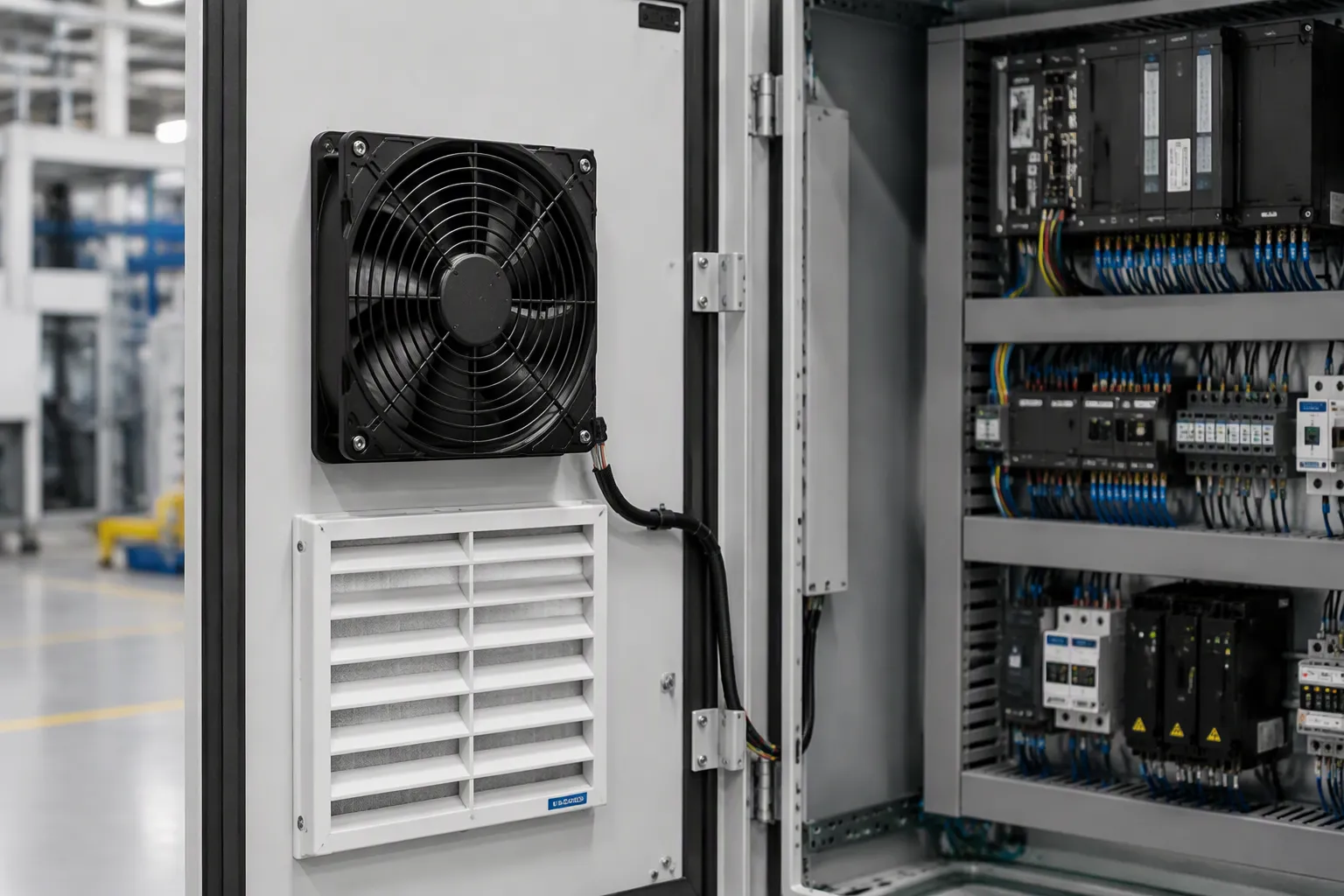
AC Axial Cooling Fan vs. Other Fan Types
Each fan type fixes a different airflow problem, so match the type to the job before you compare models. An AC Axial Cooling Fan moves a large amount of air at low pressure, parallel to the impeller axis. That makes it a good fit for cabinet ventilation, heat removal, and open-space air movement. Centrifugal blowers turn the air 90 degrees from the intake and build high pressure to push through ducts, filters, and scrubbers. Cross-flow fans make smooth, even flow across the axis and work well in tight, quiet spaces such as air curtains and electronics cooling.
Attribute | Axial Fans | Centrifugal Blowers | Cross-Flow Fans |
|---|---|---|---|
Pressure and volume | High volume, low pressure | High pressure, low volume | Higher pressure coefficient than axial |
Airflow direction | Parallel to axis | 90 degrees from intake | Perpendicular across axis |
Noise | Noisier at high airflow | Louder | Lower noise |
Cost | Typically less expensive | Typically more expensive | Moderate |
Best fit | Cabinet cooling, HVAC, large-area ventilation | Ducted exhaust, fume extraction | Tight, quiet enclosures |
For a control cabinet with a filter louver and a guard grille, the axial design usually wins on simplicity and cost. Pick a centrifugal unit only when ductwork or dense filtration needs more pressure than the axial fan can reach.
Belmont Axial Fan Range and Motor Options
Belmont makes axial fans from 200 mm to 910 mm in diameter, with AC and EC motor choices, IP54 or IP55 protection, and airflow up to 32,000 m³/h. The smallest frames work for compact equipment and narrow cabinet walls. Larger frames handle cooling towers, condensers, and high-volume ventilation. EC versions take 0–10V, PWM, and MODBUS control, so you can set speed based on real cabinet temperature instead of running at full speed all the time.
The BMF(K)6D630-Z shows how the range fits a real panel. This 630 mm model delivers 9,580 m³/h from a 380V three-phase AC motor, has IP54 protection, and runs from -25°C to +50°C. A drive-and-power-supply cabinet in a hot plant room matches that profile well. The fan keeps working through summer peaks and cold starts alike.
Matching Frame Size to Cabinet Space
Space matters as much as airflow does. Measure the clear wall area, the depth behind the mounting panel, and the swing room for the guard grille before you pick a model. A fan that hits a cable duct or a terminal block forces a late redesign during the build. Belmont offers mounting panels, grilles, and corrosion-resistant coatings as options, which helps when the cabinet wall is crowded.
Continuous duty deserves equal attention. Integrators who run inverter and servo panels all day see heat build up near the drive and the power supply. A correctly sized AC Axial Cooling Fan keeps that zone stable for years. If it is too small, components trip, age, and burn out long before their rated life.
Match Environmental Ratings and Plan Redundancy
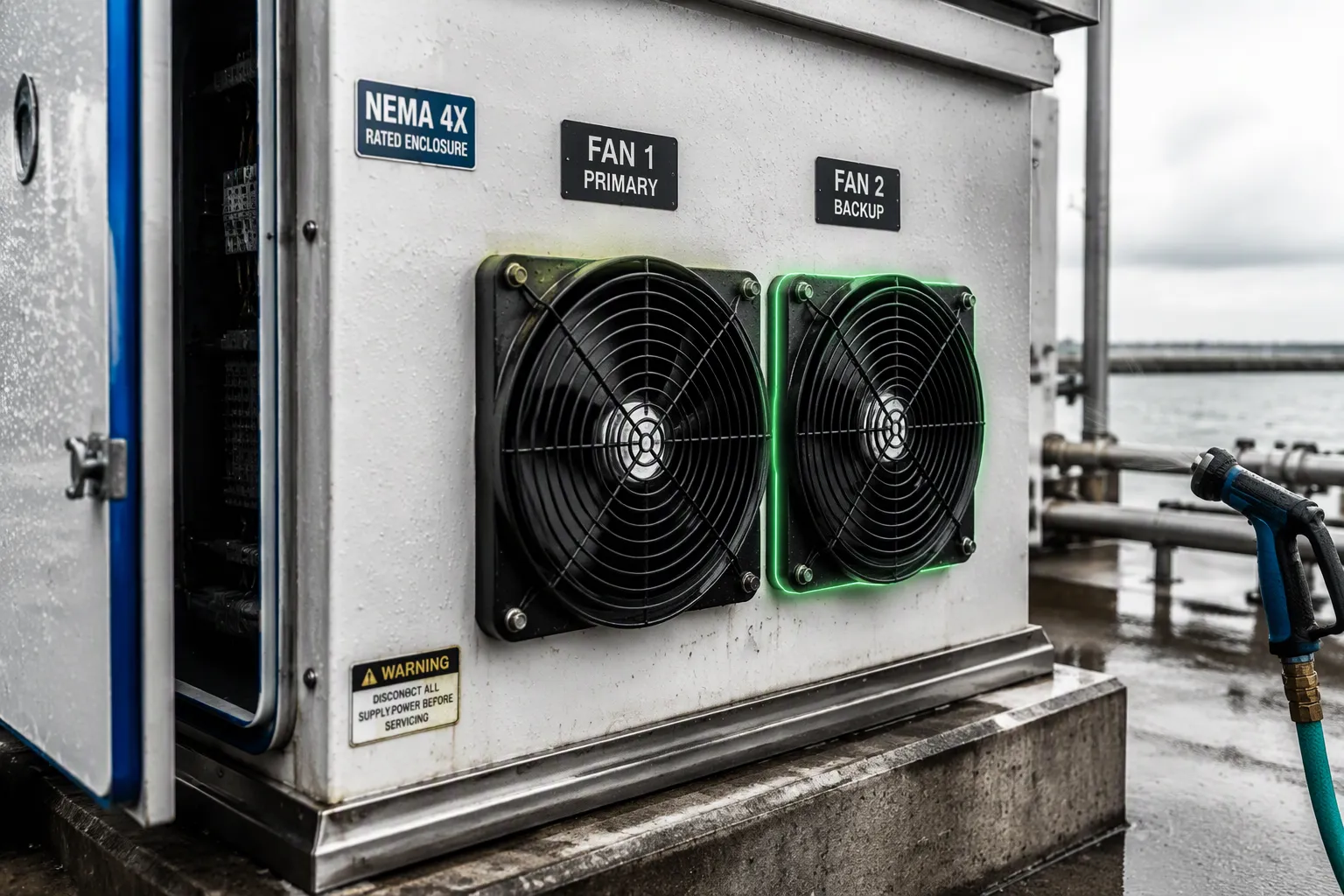
NEMA and IP Ratings for Real Environments
Where the cabinet sits decides the protection rating, not the fan catalog. Match the rating to the real environment before you order.
Environment | NEMA ratings suited | IP ratings suited | Key rationale |
|---|---|---|---|
Indoor (dry, clean) | NEMA 1, NEMA 2, NEMA 12 | IP20–IP40 (basic) | NEMA 1 keeps out solid objects and tools but not liquids; NEMA 12 adds dust and dripping-liquid protection for indoor industrial settings. |
Outdoor (rain/snow/weather) | NEMA 3, NEMA 3R, NEMA 4, NEMA 4X | IP65, IP66 | NEMA 3R keeps out rain, sleet, and snow for outdoor use; NEMA 4 is watertight against sprays; NEMA 4X adds corrosion resistance for coastal or chemical exposure. |
Washdown (hose/high-pressure cleaning) | NEMA 4, NEMA 4X | IP65, IP66, IP66/IP67 | NEMA 4/4X stand up to 65 gpm from a 1-inch nozzle at 10–12 ft for 5 minutes; IP66 handles powerful jets (100 L/min at 100 kPa). IP65 only covers low-pressure jets, so high-pressure washdown needs IP66 or NEMA 4X. |
Dusty (fine particles/lint) | NEMA 5, NEMA 6, NEMA 12, NEMA 13 | IP5X (dust-protected), IP6X (dust-tight) | NEMA 5 protects against lint and dust indoors; IP6X is proven dust-tight through vacuum testing; NEMA 12/13 add dust plus liquid or oil protection. |
IP ratings alone can fool you. A coastal plant that asked for IP66 only saw corrosion show up within 18 months, because IP testing leaves out salt-air corrosion; the right spec was NEMA 4X, which includes 1,200+ hours of corrosion testing. A food plant that picked IP65 for washdown had high-pressure hoses break into the enclosure on the first cleaning; NEMA 4X or IP66 was the right call. In northern Canada, an IP67 enclosure failed because ice jammed the latches; NEMA 4X or NEMA 3R includes ice-formation testing.
Redundancy for Critical Panels
Long operation without stops makes redundancy a design decision, not an upgrade. Start with the failure modes. A shared feeder, one control scheme, or a single sensor can cancel out duplicate fans.
The most expensive redundancy mistake is paying for duplicate equipment and leaving a single control dependency in the middle of it.
An N+1 layout adds one standby fan to the required capacity. That gives you one layer of fault tolerance and room for maintenance at moderate cost. Alarm contacts and speed monitoring make the standby useful. Set a proof-of-flow feedback pulse within a 5–15 s debounce window, and confirm the lag fan starts within the 60–180 s rotation timer. Current monitoring catches trouble fast: when one fan's current falls below roughly 60% of its normal value, the controller brings the spare online and raises a maintenance alert. Belmont's EC Axial Fan options with 0–10V, PWM, and MODBUS control support monitored, speed-controlled redundant setups, so you can read actual speed and stage fans automatically.
Do these checks before you order. Figure out the heat load. Work out the CFM. Check static pressure on the fan curve. Confirm the frame size. Match the motor type to the job. Match the environmental rating to the site. Plan redundancy for critical panels.
Heat load figured out
CFM worked out
Static pressure checked on the fan curve
Frame size confirmed
Motor type matched
Environmental rating matched
Redundancy planned
Check sizes and extras, like guard grilles and filter louvers, before you buy. Then measure the cabinet temperature after setup. That last reading shows your AC Axial Cooling Fan keeps the panel steady through long, nonstop duty, with no trapped heat, tripping, or early burnout.
Alan Gu General Manager | Hi, I’m Alan Gu, General Manager of Belmont Fan. We specialize in R&D and manufacturing of high-performance axial & centrifugal fans, delivering customized airflow solutions for HVAC, refrigeration, data center and industrial automation sectors. With nearly 10 years of focused engineering practice in fan aerodynamic design, product iteration and global OEM/ODM project delivery, I firmly believe that technological innovation must be built around real-world airflow challenges. I launched this blog to share hands-on engineering know-how: fan type selection, on-site application guidance, non-standard custom airflow solution design, plus system installation & maintenance best practices. We are committed to developing energy-efficient, reliable fan products that cut operational costs and bring tangible value for system integrators and equipment manufacturers worldwide. Let’s explore ventilation engineering, exchange technical insights, and grow together! |

FAQ
How do I size a fan when heat sources sit close together in a narrow cabinet?
Add up the watts from every heat source first. Then apply Q = 3.16 × P / ΔT with your allowed temperature rise. In tight cabinets, place the fan to pull air across the drive and power supply, not around them. Check that air speed through the fan stays at or below 10 m/s.
Can one fan handle a cabinet that runs nonstop?
Yes, if you size it for the real heat load and the dirtiest filter condition. Continuous duty demands margin. A fan chosen on free-air CFM may overheat the panel once resistance rises. Belmont rates the BMF(K)6D630-Z for -25°C to +50°C, which suits long unattended runs.
What happens if I pick a frame size that barely fits?
A tight fit leaves no room for the guard grille, cable routing, or airflow clearance. Measure the clear wall area and depth before ordering. Belmont offers mounting panels and grilles as options. If airflow demands more speed than 10 m/s allows, move up a frame size instead.
Should I choose an AC or EC motor for a control cabinet?
An AC motor gives you simple, low-cost, dependable operation on standard three-phase supply. An EC motor adds 0–10V, PWM, and MODBUS speed control, so the fan tracks real cabinet temperature. For panels that run all day, EC control can cut energy use and support monitored redundancy.
How do I know the fan actually fixed the heat problem?
Measure cabinet temperature after installation, at the hottest spot near the drive. Compare it against your design rise above ambient. Add a second reading after the filter loads with dust. If temperatures climb, revisit the fan curve and derate further before components start tripping.


